

The wiki
Fifty Markdown pages in folders, with their documents: tables, code, links between pages, an outline, owners and verified pages.
Browse a real Synaptane instance in your browser, frozen in time: the wiki of Acme's IT team, a fictional company. Nothing to install, no account.
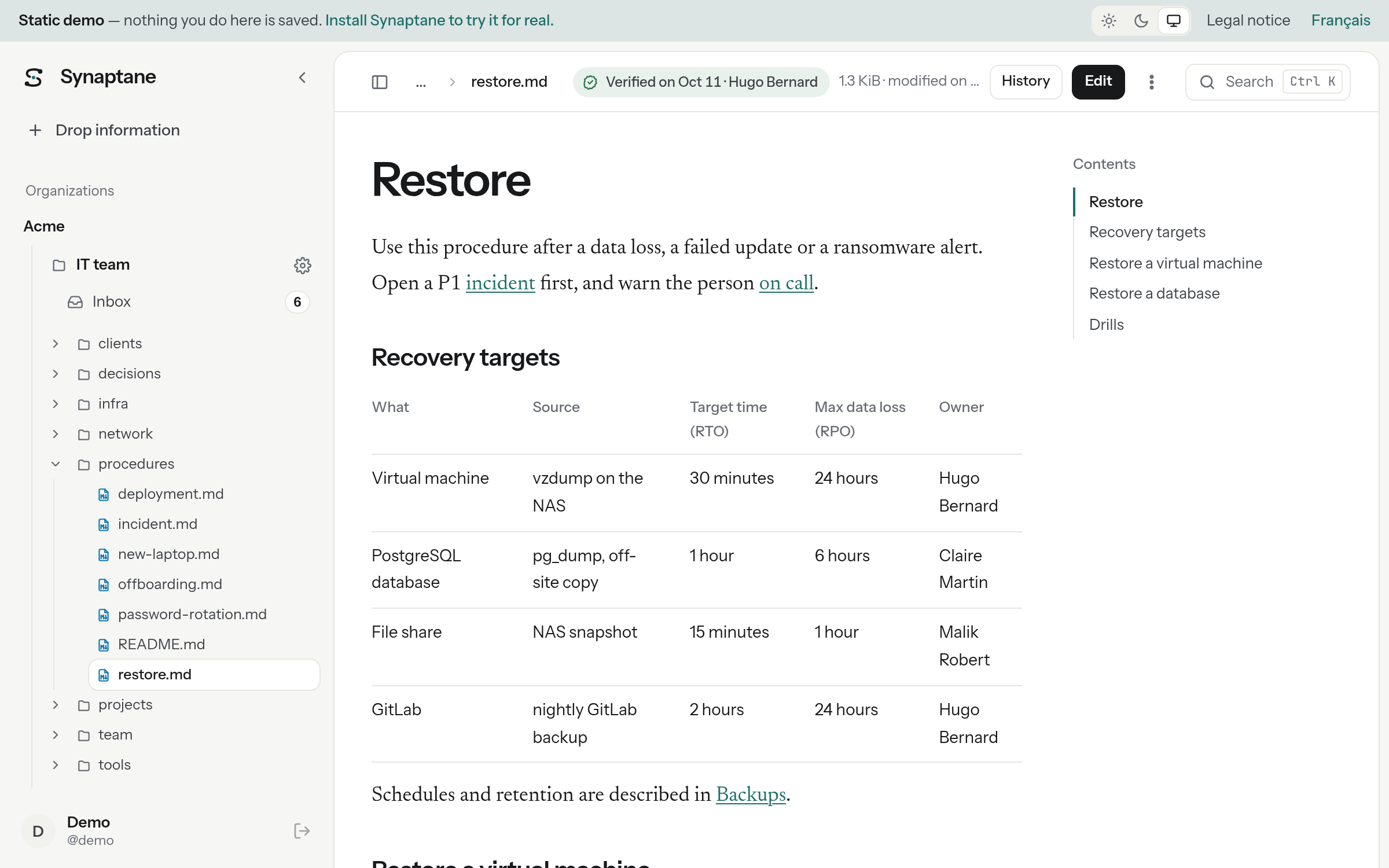
The pages of the real interface, generated from a Synaptane instance loaded with the demo data. You move around as in the product: the tree, the links between pages, the tabs.
Fifty Markdown pages in folders, with their documents: tables, code, links between pages, an outline, owners and verified pages.
A support contract in the built-in viewer, and a scanned delivery note whose text was read by OCR.
Slides, a Word checklist and spreadsheets, one of them in the old .xls format: a download link, and the extracted text that search uses.
A rack diagram shown in its page and read by OCR, and a weekly report in HTML, rendered as is.
Every change is a Git commit: who changed what, when, and the diff.
Six notes waiting for the nightly tidy-up: a fact to add, a duplicate, a contradiction, an attachment…
A broken link and a page to review; no orphan or empty page. What to fix, found without AI.
Full-text search across pages, documents and the inbox, with the passages that match: try kestrel, found in a scan.
The MCP address, and how to connect Claude, ChatGPT or another assistant.
Also: the activity of the space, its purpose and its routines. The interface is in English and in French (the language link at the top of each page); the wiki itself is written in English.
The same data on your own instance, with every feature: on Linux, or WSL2 on Windows, with Docker, these commands install Synaptane and load the demo wiki.
# 1. Get the release
git clone --branch v1.0.0-rc.1 https://github.com/synaptane/synaptane.git && cd synaptane

# 2. Write a minimal .env (the last line is for the demo only)
printf 'PUBLIC_URL=http://localhost:8000\nPOSTGRES_PASSWORD=%s\nSYNAPTANE_VERSION=1.0.0-rc.1\n' \
  "$(openssl rand -hex 24)" > .env
echo 'COMPOSE_FILE=compose.yaml:examples/compose.demo.yaml' >> .env

# 3. Start, then load the demo wiki
docker compose up -d
docker compose exec app synaptane demo
Then open http://localhost:8000/o/acme/it and sign in with the password printed by the last command. Use a throwaway instance: the demo allows local Git repositories. See Demo data in the installation guide (without Docker too).